If you are looking to register a student in one of our Catholic elementary or secondary schools, you have found the right place! Whether you are starting your journey with us in Kindergarten or transferring from another school board, this page will walk you through the first steps in the online registration process.
For families registering for our Kindergarten program, we encourage you to take advantage of the information and resources available on our Kindergarten page before returning to this page to start the registration process.
Children who are baptized Catholic, or have a parent who is Catholic, are automatically eligible for registration in their local PVNC Catholic school.
ADMISSION OF NON-CATHOLIC STUDENTS: If your child has not been baptized Catholic, please review section 3 of Administrative Procedure 206 – Admission to Catholic Schools for information on registration.
All secondary school-aged students and their parents/guardians must accept and recognize the distinctive Catholic character and culture that pervades the Catholic secondary school community and must be willing to support its purpose, goals, and expectations. This includes enrolment in a Religion and Family Life course during each year of secondary school.
Finding your school
Click on the school finder link for your geographic area below to find your child’s Catholic school based on your home address. If you are interested in a French Immersion program, select “French Immersion” under the program drop-down menu to find the Catholic school that offers French Immersion in your area.
- Municipality of Clarington, Northumberland County, and Peterborough City and County school finder.
- City of Kawartha Lakes school finder.
Transportation Eligibility
PVNC Catholic coordinates home-to-school transportation for students with Student Transportation Services of Central Ontario (STSCO) and Trillium Lakelands District School Board (TLDSB). To find out if your child is eligible based on your home address use your geographic area link below:
- Municipality of Clarington, Northumberland County, and Peterborough City and County – https://stsco.mybusplanner.ca/TransportationEligibility
- Transportation provided by STSCO is on an opt-in basis, eligible riders should review the opt-in process on the STSCO website at https://stsco.ca
- City of Kawartha Lakes – https://www.mybustoschool.ca/TransportationEligibility
- For other TLDSB transportation information visit: www.mybustoschool.ca
Registration Period
You may register for one of our school’s at any point during the school year, however, our schools close during the summer months. Elementary schools reopen and begin processing registrations for the coming school year in the third week of August where secondary schools reopen in the last week of August.
Kindergarten registration for the following school year begins the third week in January. For more information on registration time periods, please contact your local Catholic school.
Child Care
For information on Extended Day Programs for Kindergarten students, Before and After School Programs for 6 -12 years olds, and Full Day programs offered in childcare centres in our schools, click here.
Begin the Online Registration Process
Please note: If you are registering more than one child, you must complete an online registration form for each child.
Questions about school registrations should be directed to the school.
This is the first step in the registration process. Filling out this online form does not mean your child has been enrolled in the school. Registration is completed at the school level.
Once the online form is complete, schools will upload the information and contact the family to set up a meeting time. Parents/guardians will need to gather the following information:
Proof of Date of Birth
- Birth certificate
- Birth registration
- Passport
- Immigration papers
Proof of Residency
- Utility bill (hydro, gas, water)
- Property tax bill
- Residential cable tv/internet or telephone bill
- Purchase and sale agreement, mortgage statement or insurance policy
- Lease agreement
- Original correspondence from a government agency or legal clinic may be accepted as a second proof of address document.
Note: Driver’s licences and cell phone bills are not accepted
Additional Information:
- Your child’s (or the parent’s) Catholic Baptismal Certificate (if applicable)
- Your child’s immunization record
- Details about your child’s medical conditions and/or medication requirements, such as allergic reactions or physical disabilities
- Documentation about your child’s needs, if applicable, such as special education reports
- Your babysitter or childcare’s name and address, if your child will spend part of the day at childcare
- Custody documents (if applicable)
Online Registration Guide
Existing Users - Login to Account
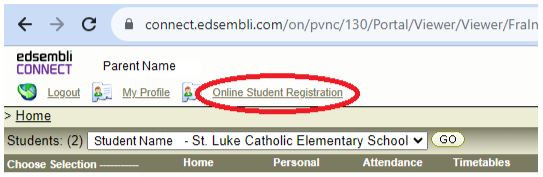
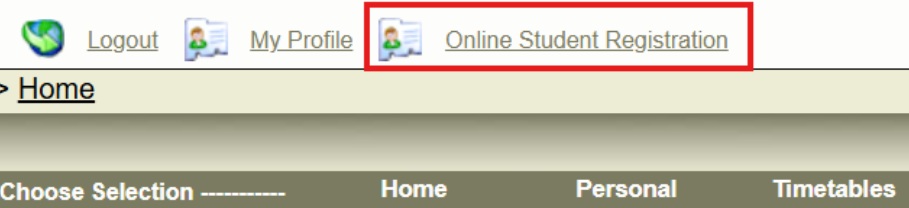
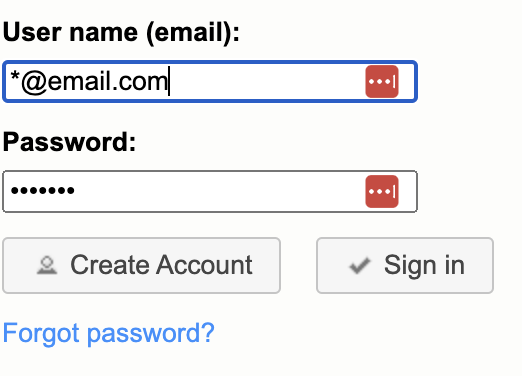
Parents/guardians with existing Parent Portal accounts (i.e. if you have previously logged in to view report cards or timetables) can login to their School Site and select the “Online Student Registration” from the Main Menu.
First Time Users - Create Account
If this is your first time using the Student Registration Portal and you have not yet created an account, please begin by creating an account here.
- On the Student Registration login screen, click on the ‘Create Account’ button.
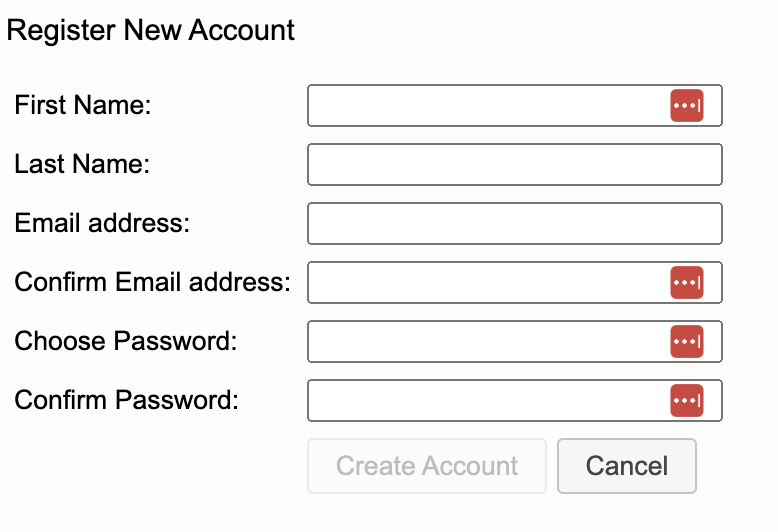
- On the Register New Account page, fill in the fields provided and click the ‘Create Account’ button.
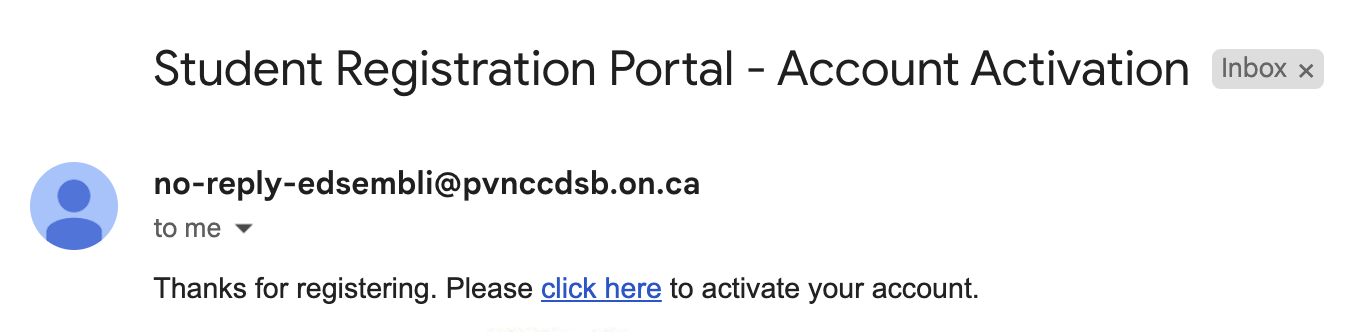
- An activation link will be sent to the email address provided. You must click on the activation link in your email before your account can be activated. If you did not receive the link in your inbox please check your Spam folder.
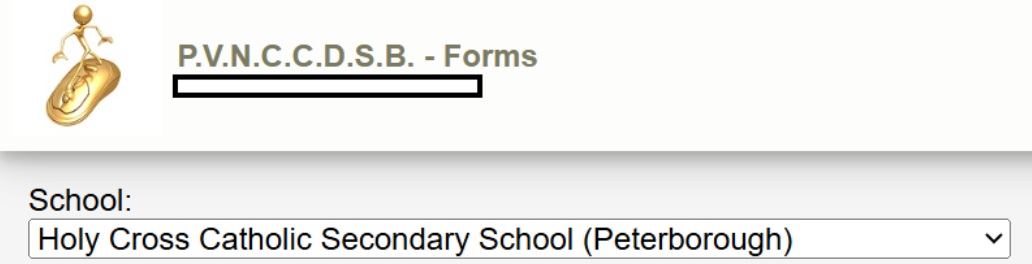
- Once your account has been activated, login, select your child’s school from the drop down menu and then click “Open” to start a new registration.
- If you receive a “failed to register new account” error, the system recognizes your email address and you may already have an existing parent portal account. Please log into your Parent Portal account and use the Online Registration link to start a new registration.
Forgot Password
If you have forgotten your password, click the ‘Forgot Password?’ Link on the student registration login page. Enter your email address and click the ‘Submit’ button. Follow the instructions in your email to reset your password. Once completed, login with your newly created password.
Internal Transfer Guide
If you are transferring your child from one PVNC Catholic location to another or your child is transitioning from Grade 8 to Grade 9, you will need to complete an internal transfer form using the steps below. For the Grade 8 to 9 transition, you will receive information from the secondary school in your geographic area. This information will include details on parent nights, opportunities for tours, any required forms, and essential dates and details.
Step 1 - Login to Parent Portal
Begin by logging into the Parent Portal of your child’s CURRENT school.
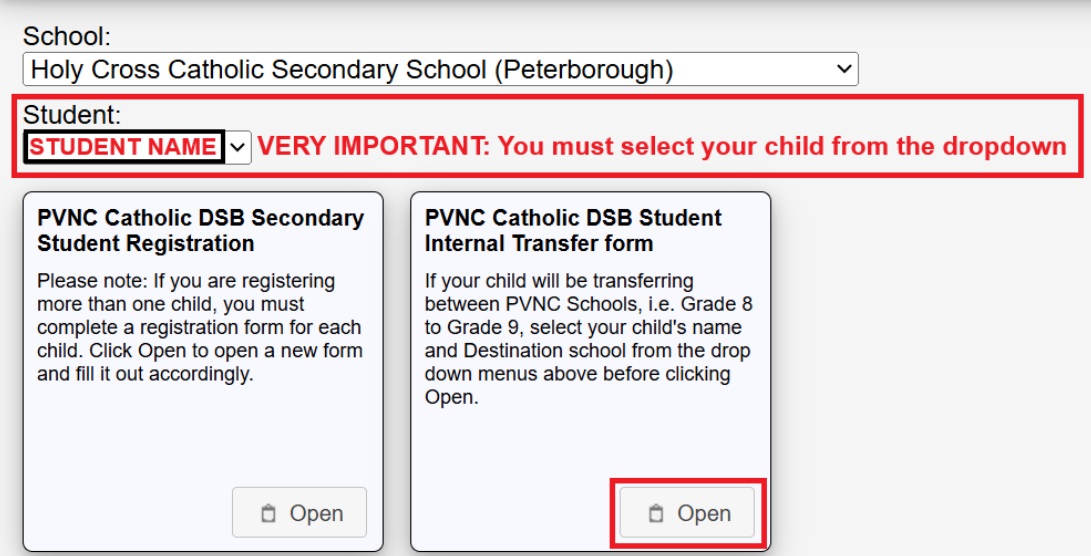
Step 4 - Select Student
Step 5 - Review Information
Review the pre-populated student information on the form. If any of the information contained in the form is incorrect, parents/guardians must contact their child’s current school immediately to have the information updated before proceeding with the internal transfer form.
Note: If your child’s information does not pre-populate on the form, click the BACK button and choose your child’s name from the STUDENT drop down menu.
Step 6 - Click Submit
Once completed, click Submit.
Step 7 - Download PDF
Parents/Guardians will have the option to download a PDF copy of the form (recommended).